
WordPress SEO guides: schema, entities and AI search
By Anis Harbaoui, SEO specialist
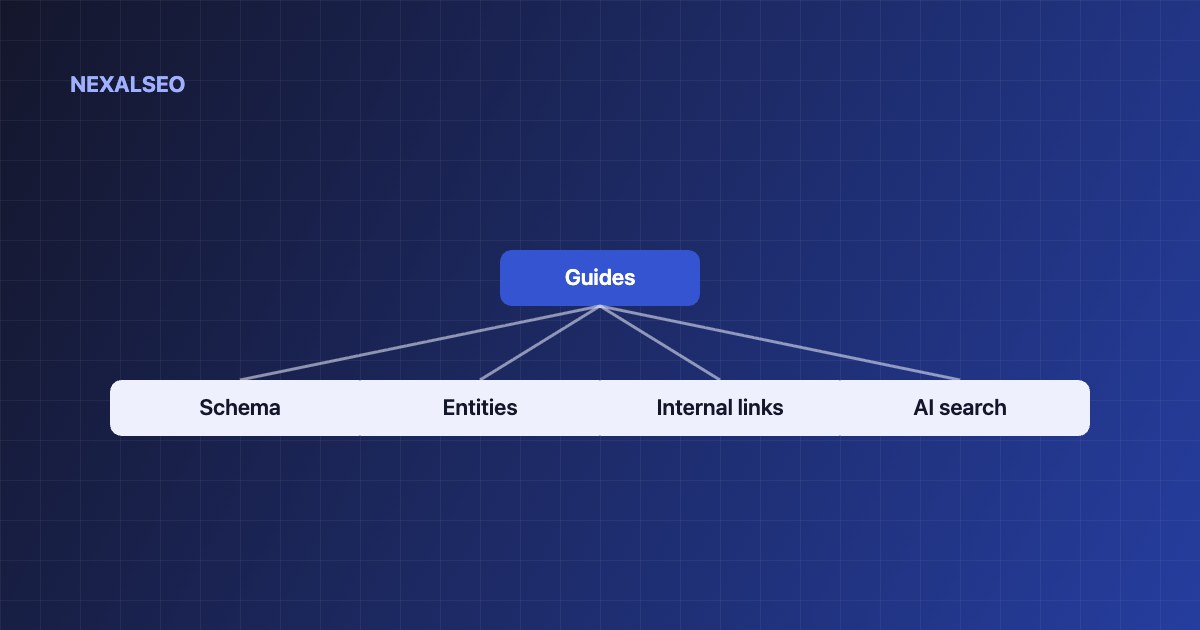
Everything we know about making WordPress sites understandable to search engines and AI assistants, organised by topic. Each guide answers one question completely, with working examples and no filler.
Schema markup and structured data
How structured data works, which types matter in 2026 and how to build them as one connected graph.
What is schema markup?
The complete guide to structured data on WordPress.
Organization schema for WordPress
The identity node every page points back to.
SoftwareApplication schema for plugins
Markup for plugins, SaaS and apps.
Article vs BlogPosting vs TechnicalArticle
Which article type to use, and when.
Why schema is not showing in Google
A diagnosis table for missing rich results.
Fixing duplicate schema
Find and remove conflicting JSON-LD.
FAQ schema for WordPress
How FAQ markup works and what it still does for search and AI answers.
LocalBusiness schema for local sites
Address, opening hours and service areas in markup Google can read.
Breadcrumb schema explained
Show the path to a page in search results and clean up your site structure.
How to test structured data
Which validators to use, and what each one catches.
Entities and semantic SEO
How search engines move from strings to things, and how to make your site part of their Knowledge Graph.
What is semantic SEO?
Topical authority, entities and context explained.
Entity SEO with sameAs and Wikidata
Connect your brand to the Knowledge Graph.
How Google understands a website
Crawling, NLP, entities and ranking, step by step.
What is topical authority?
Why covering a subject in depth earns trust, and how to build it.
How to build a topical map
Plan every page on a topic before you write a word.
Content hubs and topic clusters
How hub and cluster pages should link so they support each other.
Site structure and internal linking
Planning your internal links
Silos, anchors and link flow that search engines follow.
Finding and fixing orphaned pages
Reconnect pages that nothing links to.
Switching SEO plugins safely
Migrate without losing rankings.
Anchor text best practices
Write link text that reads naturally and still tells Google what the page is about.
Canonical tags in WordPress
Stop duplicate URLs from splitting your rankings.
301 vs 302 redirects
Which redirect to use, and what each one does to your rankings.
AI search and the WordPress ecosystem
AI Overviews and WordPress
How to get cited by Google AI Overviews, ChatGPT and Perplexity.
llms.txt explained
What it is, who reads it and whether you need one.
What is a WordPress plugin?
How plugins work, and how to choose safe ones.
What is query fan-out?
How AI search turns one question into many, and how to cover them.
How to measure AI citations
Ways to check whether AI assistants cite your pages and send traffic.
Do you need an SEO plugin?
When a plugin helps and when it does not.
How do WordPress SEO guides work?
Each guide answers one question, and the guides are grouped into clusters. Pick the cluster that matches the problem you have. If pages are missing rich results, start with the schema guides. If you want search engines to understand what your site is about, start with semantic SEO and entities. If new pages are not being found, read the internal linking guides. Google’s own SEO starter guide is a good companion for the basics.
Frequently asked questions
How are these WordPress SEO guides organised?
Into four clusters: schema and structured data, entities and semantic SEO, site structure and internal linking, and AI search. Each guide answers one question completely.
Which guide should I read first?
Start with what is schema markup if your pages are missing rich results, or what is semantic SEO if you want to build topical authority.
Do the guides only apply to NexalSEO?
No. The concepts apply to any WordPress site. Where a guide shows steps in NexalSEO, look for the equivalent setting in your own plugin.
Ready to pick a plugin? Read the plugin comparison first.
NexalSEO applies these principles automatically: one connected schema graph, clean sitemaps, redirects and internal-link suggestions.
Explore NexalSEO features