
LocalBusiness schema for WordPress: properties, subtypes and examples
By Anis Harbaoui, SEO specialist
LocalBusiness schema is structured data that describes a business with a physical location or service area: its name, address, phone number, opening hours and type of business. Search engines use it to confirm the facts that appear in your Google Business Profile and on your contact page. This guide covers the properties that matter, how to choose a subtype and how to keep the markup consistent.
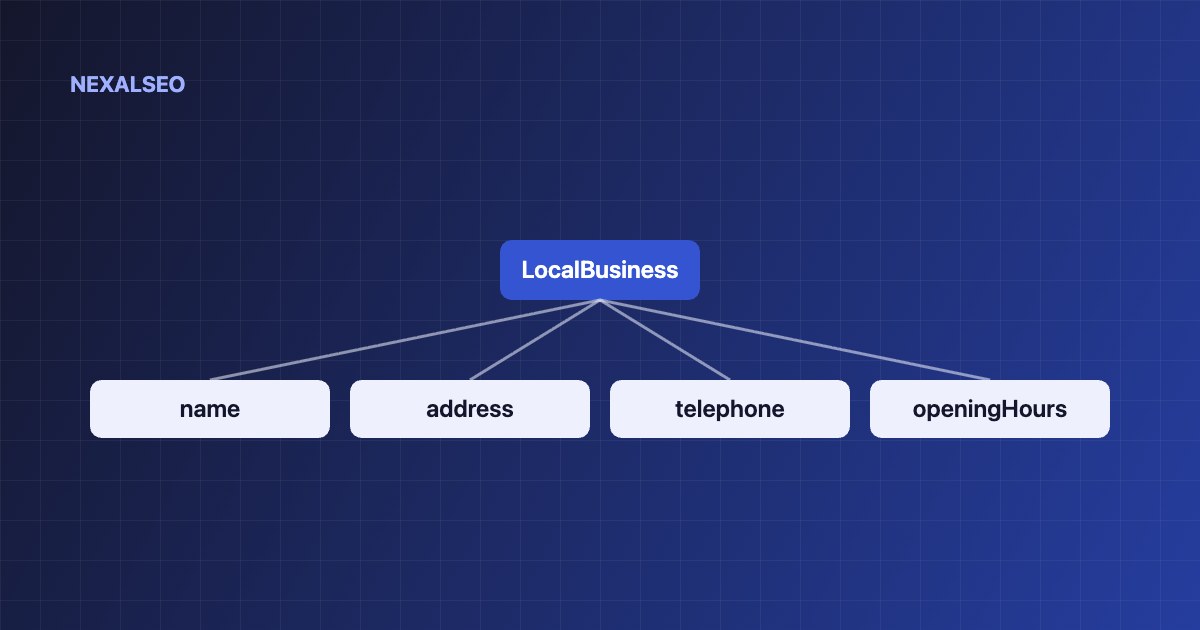
- Describe the business exactly as it appears on your site and in your Google Business Profile. Name, address and phone number must match.
- Use the most specific subtype available, such as Dentist or Plumber, instead of plain LocalBusiness.
- The markup supports Google’s understanding of your business. It does not replace a verified Business Profile.
- Output it once, in one connected graph, not from two plugins.
What is LocalBusiness schema?
LocalBusiness is a Schema.org type for an organisation with a physical place, such as a shop, office, clinic or restaurant. It builds on the Organization and Place types, so it can carry both the company facts and the location facts. Put it on the page that represents the business, usually the home page or contact page, or on a separate page for each location.
| Property | What it holds |
|---|---|
| name | The business name, written exactly as customers see it |
| address | A PostalAddress with street, city, region, postcode and country |
| telephone | The main number, with country code |
| openingHoursSpecification | Days and opening and closing times |
| geo | Latitude and longitude of the location |
| sameAs | Links to your official profiles, including Google Business Profile |
Which LocalBusiness subtype should you use?
Schema.org lists many subtypes, including Restaurant, Dentist, Plumber, LegalService, AutoRepair and Store. Choose the narrowest type that is accurate. If nothing fits, plain LocalBusiness is fine. Do not stack several types on one business unless each one is true.
A service-area business without a public shop can still use the markup. Describe where you work with areaServed and keep the address consistent with what your Business Profile shows.
How does LocalBusiness schema work with Google?
Google lists the business name and address as required, and a longer set as recommended, including telephone, opening hours, geo coordinates and URL. The full list is in Google’s local business structured data guide.
Local results are driven mostly by your Business Profile, so treat the markup as a way to confirm the same facts on your own site rather than a shortcut to rankings.
How do you add LocalBusiness schema in WordPress?
- Copy the business name, address and phone number from your Google Business Profile so the facts match character for character.
- Enter those details once in your SEO plugin instead of hard-coding them in several places. NexalSEO’s Local SEO module is built for this.
- Add opening hours, including holiday hours if they differ.
- Check the result with a validator. Our guide to testing your markup shows which one to use.
- For several locations, give each its own page and its own markup, then link them from a locations page.
What mistakes should you avoid?
- Inconsistent details. A different phone number or spelling on the site and in the profile weakens the confirmation.
- A virtual address. Do not mark up a mailbox or virtual office as your location.
- Self-written reviews. Google does not accept self-serving reviews of your own business for review rich results.
- Duplicate output. Two plugins printing local business data create conflicting entities. See how to find and fix duplicate schema.
- Stale hours. Update the markup whenever your opening hours change.
Frequently asked questions
Do I need LocalBusiness schema if I have a Google Business Profile?
It is not required, but it is a cheap way to confirm the same facts on your own site. Keep both consistent.
Can a service-area business use LocalBusiness schema?
Yes. Use areaServed to describe where you work and keep the address consistent with your Business Profile.
Does LocalBusiness schema improve local rankings?
Google has not said it is a ranking factor. It helps search engines understand and verify your business details.
How do I mark up several locations?
Give each location its own page with its own LocalBusiness markup, and link the pages from a locations page.
Related guides
Setting up your business entity
The identity node that LocalBusiness builds on.
Local SEO in NexalSEO
How the local module checks your business details.
Testing your markup
Check the result before you publish.
Enter your business details once and let NexalSEO reuse them across your schema.
See the Local SEO module