
SEO plugin buying framework: choose by requirement, not by brand
By Anis Harbaoui, SEO specialist · Last reviewed 16 October 2026
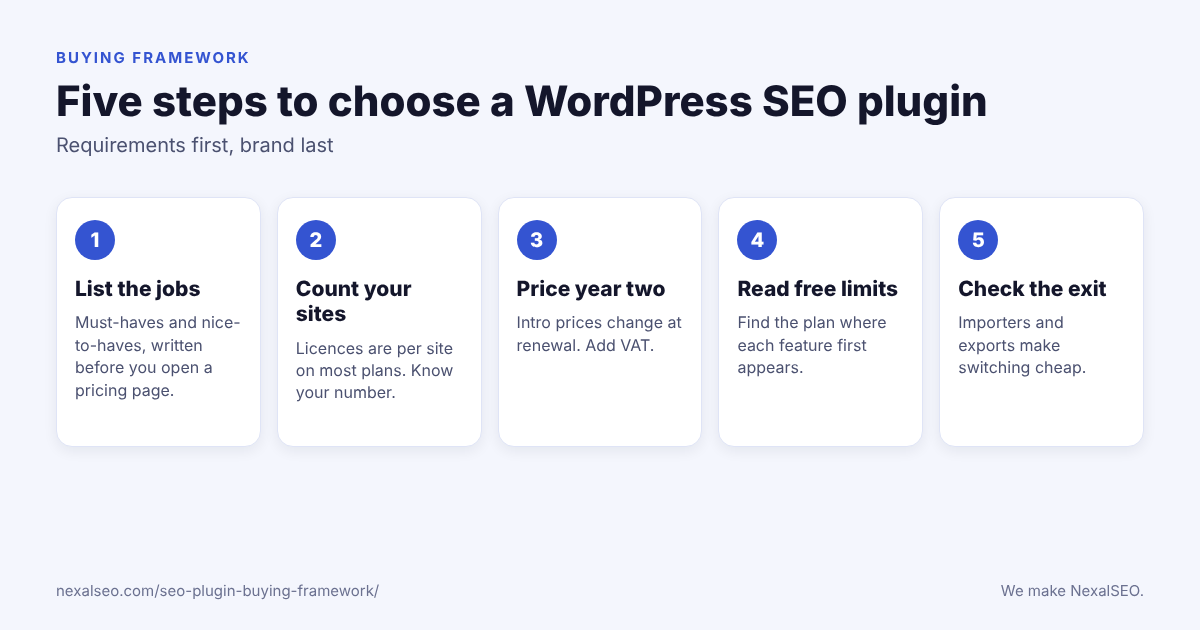
A buying framework is a short checklist you fill in before you pick a WordPress SEO plugin: what the site must do, how many sites you manage, what year two costs, what the free version really includes, and how easily you can leave. Five steps, a scorecard and one worked example follow. They work whichever plugin you end up choosing.
Disclosure
We make NexalSEO. The figures below come from each vendor’s own pricing and feature pages, read on 16 October 2026, and we say when a page did not state something.
Step 1: what must the plugin do on day one?
Plugin websites are built to make every feature sound essential. Your job list is the antidote. Open a blank note and split it into two columns: things the plugin must do from day one, and things that would be nice to have later.
For most sites the must-have column is short. Titles and meta descriptions, an XML sitemap, schema output and a way to redirect a URL that has moved cover a lot of ground. A shop adds product schema and category handling. A local business adds address and opening-hours markup. Anything you cannot name a use for goes in the second column, and it should not influence the price you are willing to pay.
Step 2: how many sites and people does it cover?
Licences are the part buyers skim past. Most paid plans are sold per site, and the jump between tiers can be large. SEOPress PRO is $49 a year for one site, $59 for five and $149 for unlimited. Rank Math PRO covers unlimited personal sites, while its Business tier is built for client work. AIOSEO sells one, three, ten and a hundred sites at four price points. Yoast sells its WooCommerce add-on as a separate product.
Write down how many sites you run today and how many you might add in the next year. If the answer is one, almost any plan works. If it is a dozen, the licence model can matter more than any feature.
Step 3: what will the second year cost?
Introductory prices are common, and renewals can be higher. AIOSEO Basic is $49.50 in year one and $99 afterwards. Rank Math PRO is €7.99 a month on the intro rate and €8.99 on renewal, billed annually, which works out to about €96 in year one and about €108 after that. Yoast Premium is 118.80 a year, without VAT. Add the VAT you will actually pay, then compare the second-year totals, not the headline numbers.
Step 4: what does the free version really include?
“Free” is a spectrum. Two plugins can both say they include redirects and mean very different things. Yoast’s free version handles attachment redirects only, with the full redirect manager in Premium. SEOPress lists redirects for posts in the free version and keeps the redirect manager with 404 monitoring in PRO. Rank Math lists a basic redirection manager in free and advanced 404 monitoring in paid plans. NexalSEO’s free plan allows up to 200 redirects and removes the cap in paid plans.
The same exercise applies to schema, WooCommerce and local SEO. Take each item on your jobs list and find the exact plan where it first appears. If a vendor page does not say, treat the answer as unknown rather than yes.
Step 5: how easy is it to leave later?
You will probably switch plugins at some point, so look at how painful leaving is. Rank Math lists importers for Yoast, AIOSEO and SEOPress. NexalSEO imports from Yoast and Rank Math. SEOPress lists migration tools. A plugin that stores your titles and descriptions in a format nothing else can read makes the next move expensive. Our guide to migrating without losing rankings covers what to check when you do switch.
A scorecard you can copy
Put your jobs list down the left side and one plugin per column. Mark each cell with the plan where the item first appears, or “not stated”.
| Requirement | Must or nice | Plugin A | Plugin B | Plugin C |
|---|---|---|---|---|
| Titles and meta descriptions | Must | Free | Free | Free |
| XML sitemap | Must | Free | Free | Not stated |
| Redirect manager | Must | Paid | Free, basic | Free, capped |
| WooCommerce support | Nice | Separate product | Paid | Free audit |
| Sites covered | Must | 1 | Unlimited | 1 to 3 |
| Year-two price | Must | Check | Check | Check |
The values in the cells are placeholders to show the format. Fill in your own from the vendors’ pages, and keep the date you checked.
A worked example: a small shop and a blog
Say you run one WooCommerce shop and one blog, you need product schema, a redirect tool because you rename products now and then, and you would like to stay under about $150 a year before VAT. Here is how the jobs list narrows the field using only vendor-stated facts.
- Yoast SEO: Premium (118.80 a year) gives you the redirect manager, and the WooCommerce add-on is another 178.80 a year. If you need both, you are above the budget for the shop alone.
- Rank Math: PRO covers unlimited personal sites and lists WooCommerce SEO and advanced 404 monitoring in the paid plans. First-year cost is about €96, so it fits, subject to the tier details on its page.
- AIOSEO: Plus ($99.50, three sites) would cover both sites. The Redirection Manager is listed for Pro ($199.50) and above, so redirects push you past the budget.
- SEOPress: PRO at $59 for five sites covers both sites and includes the redirect manager with 404 monitoring. WooCommerce support was not stated on the page we read, so check it first.
- NexalSEO: the free plan includes the WooCommerce audit and up to 200 redirects. Pro is $79 a year for one site and Growth is $149 for three.
None of these answers is universal. The point is the method: a short list of requirements and the plan where each one starts removes most of the choice. For the full list of what each plugin offers, see the plugin roundup. The prices above come from Yoast, Rank Math, AIOSEO and SEOPress, read on 16 October 2026.
What are the red flags in plugin marketing?
Four patterns are worth treating with suspicion on any plugin page, ours included.
- A “tested” claim with no method, dates or versions behind it.
- Install counts or star ratings with no date, since both change every day.
- A feature list that does not say which plan each item belongs to.
- A price with no renewal figure and no mention of VAT.
If you want a second opinion on the free-versus-paid question specifically, our guide to upgrading from free goes through where the line usually falls. If you are still not sure you need a plugin at all, start with this short explainer.
Frequently asked questions
What is an SEO plugin buying framework?
It is a short checklist you complete before choosing a plugin. You list what the site must do, count your sites, compare second-year prices, read the limits of the free versions and check how easy it is to leave.
How many plugins should I compare?
Two or three is enough. Pick the ones whose free versions cover your must-have list, then compare their paid plans and renewal prices.
Should I choose the cheapest plan?
Only after you have checked the requirements and the second-year price. A cheap plan that lacks a feature you need usually costs more once you add it elsewhere.
Can I change plugins later?
Yes, and most major plugins offer importers. Back up first, change one thing at a time and keep every URL the same.
Keep exploring
NexalSEO and Yoast side by side
Features and prices for the two plugins.
The three big names compared
Yoast, Rank Math and AIOSEO in detail.
NexalSEO plans
Free, Pro, Growth and Agency.
Last reviewed: 16 October 2026. Written by Anis Harbaoui, SEO specialist.